What's New

Latest features, improvements, and announcements from FluffFilter.

New! Compare Revisions
One of the best use cases for FluffFilter is revising content. You might have two or three rounds of feedback before getting that green ACCEPT. But sometimes it's hard to remember what changed between versions. Going back though changes by undo-ing and re-do-ing is fraught and awkward.

So: we've added a powerful new way to track how your content evolves over time. Now when you upload a new revision of a document, you can instantly see exactly what changed.

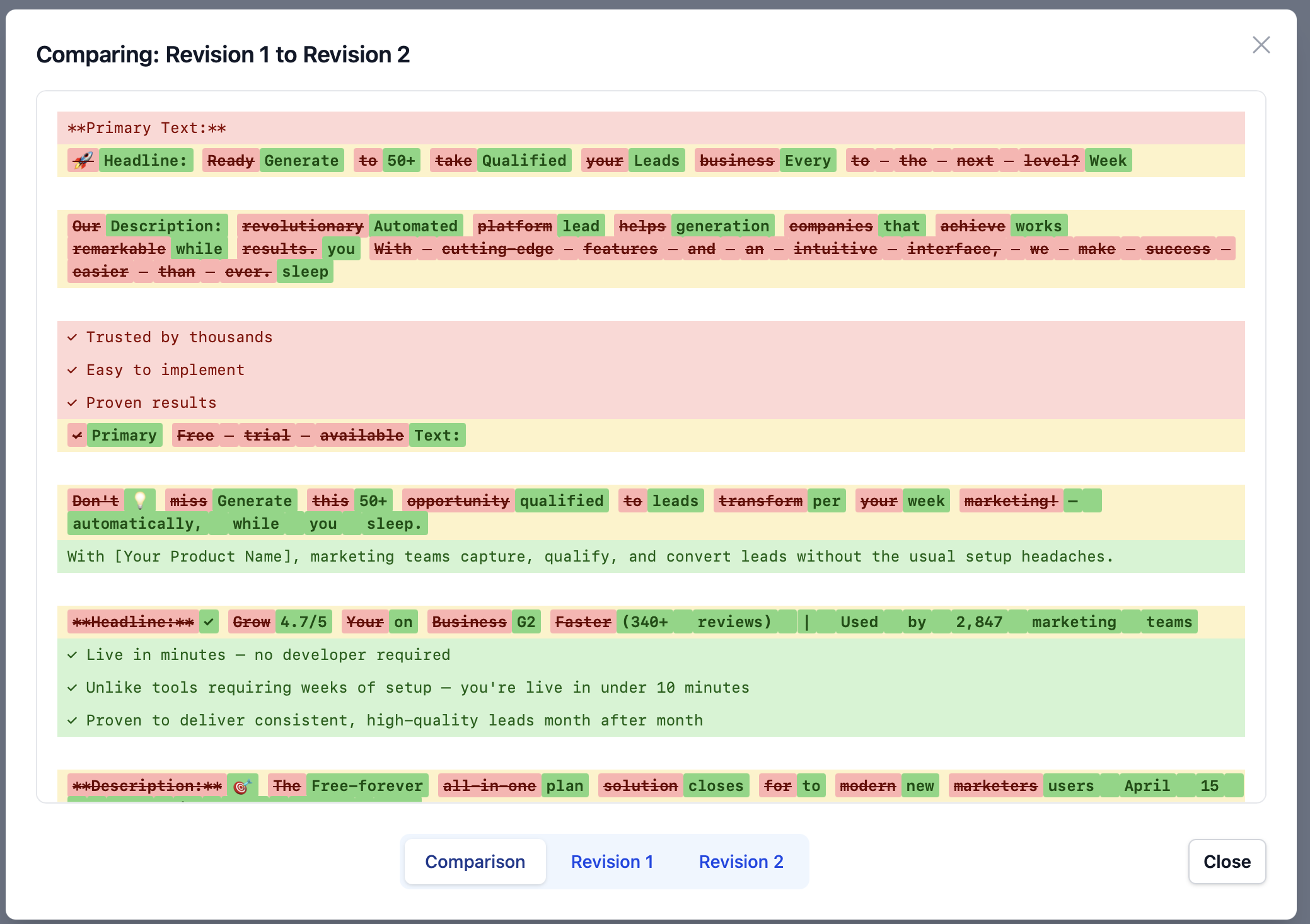
Click "Compare" next to any previous revision to open a side-by-side comparison view. We'll highlight the differences for you:
  • Removed text appears in red with strikethrough
  • Added text appears in green
  • Modified lines show word-level changes inline, so you can see precisely what was tweaked

You can also switch between viewing the comparison and viewing each revision's full content independently, helpful when you want to see the complete picture of a specific version.

This makes it easy to understand how your content has improved across revisions, track the changes you made in response to feedback, and see at a glance what's different between any two versions.

Ready to try it? Upload a revision to one of your documents now!


Introducing Revision Tracking: See Your Content Improve Over Time

If you're a content manager refining blog posts through multiple rounds of feedback, you've probably wondered: are these edits actually improving quality, or just changing it? Today we're launching Revision Tracking to answer that question with data. Now when you upload a revised document to FluffFilter, you'll see exactly how your scores changed between versions.

Upload Once, Iterate Forever


When you analyze a document in FluffFilter, you can now upload revised versions and instantly see how they compare. Each revision is tracked with its own score and verdict, making it easy to measure real progress as you refine your content.

Click "Add Revision" from any analysis, upload your updated version, and we'll analyze it using the same evaluator as the original. No more guessing if your changes actually improved the quality.

Smart Comparisons


Unlike manually comparing two Google Docs side-by-side or using generic version control, revision tracking applies the exact same evaluation criteria to each version. This means you're measuring true quality improvement, not just tracking changes. Our automatic inheritance ensures apples-to-apples comparison every time.

Clean, Compact History


Your revision history stays out of the way until you need it. Click "Show revision history" to see all versions at a glance, each showing its score, verdict, and timestamp. Navigate between revisions instantly to see exactly where improvements happened.

Whether you're refining a single piece through multiple drafts or testing different approaches to the same topic, revision tracking gives you the data to prove your content is getting better. No more wondering if that rewrite was worth it. Now you'll know.

Ready to measure your content improvements? Upload a document, get your baseline score, then click "Add Revision" to track your progress.

Customize Evaluators

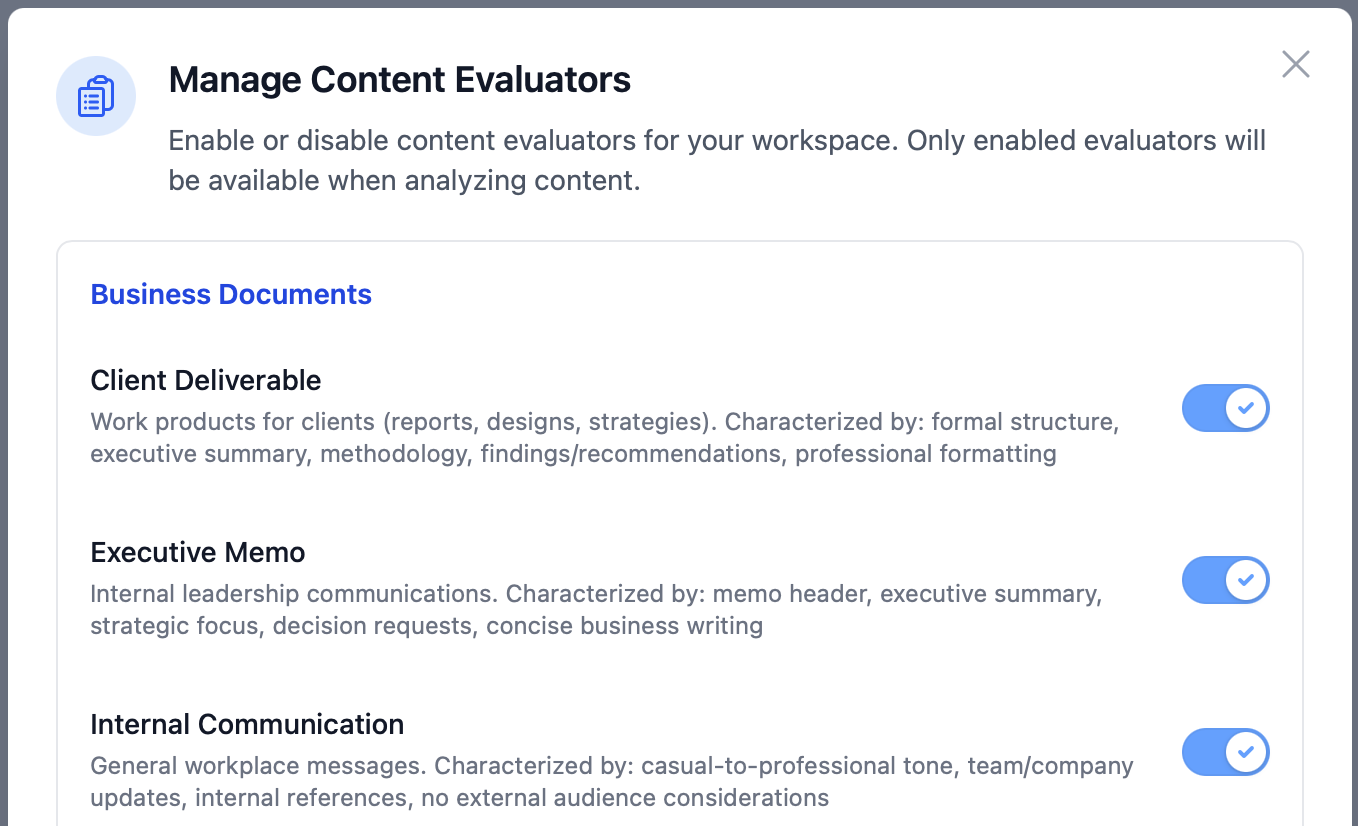
On Pro and Business plans, you can now enable and disable individual evaluators, turning off content types that you don't create. Access this through your Workplace Settings.

This feature is not available during the trial period.

New Browser Bookmarklet

You can now install a Bookmarklet to get documents into FluffFilter. Select the text you want to analyze and click the bookmarklet, or send the entire page if nothing is selected. This makes it easier than ever to get content in from Google Docs, WordPress, or even while composing a post.

Ready to get started?

Experience these features firsthand with FluffFilter. Start your free 7-day trial today.

Start Free Trial

7-day trial • 15 analyses • All features included